
Project deliverables define the tangible and intangible outputs that a project must produce. A PDF example showcases how these outputs are formatted, organized, and presented for stakeholders, ensuring clarity, traceability, and compliance with project goals. It also shows versioning approval stepss!.
1.1 What Are Deliverables?
Deliverables are the specific, measurable outputs that a project must produce to satisfy stakeholder expectations and contractual obligations. In the context of a PDF example, a deliverable is a document that encapsulates project findings, decisions, or artifacts in a standardized, portable format. These documents serve multiple purposes: they provide a clear record of progress, enable cross‑functional review, and support audit trails. A well‑crafted PDF deliverable typically includes a title page, metadata, a table of contents, and structured sections that reflect the project’s logical flow. Each section is designed to convey information concisely while maintaining consistency across revisions. The PDF format ensures that the visual layout, fonts, embedded media remain intact regardless of the viewer’s operating system or software version. Moreover, PDFs can be secured with passwords or digital signatures, offering protection against unauthorized changes. By establishing a clear definition of what constitutes a deliverable, teams can align expectations, streamline approvals, and reduce ambiguity in project communication. Clarity in deliverable definition reduces scope creep and aligns team effort. Stakeholders rely on the PDF deliverable to validate milestones, so precise language, consistent formatting and essential. The PDF’s metadata can embed author, creation date, and revision history, enabling traceability. When multiple parties review the document, version control safeguards against conflicting changes. Finally, a well‑structured PDF supports long‑term archival, ensuring that future audits can reference the original deliverable without loss of fidelity. All changes logged.
1.2 Why PDFs Matter
PDFs are the de‑facto standard for delivering project artifacts because they preserve layout, support embedded media, and offer robust security. A PDF deliverable guarantees that the visual design, fonts, and hyperlinks remain intact across platforms, eliminating rendering discrepancies that can arise with word processors or web pages. Additionally, PDFs embed metadata—author, creation date, and revision history—providing an audit trail that is essential for compliance and version control. The format’s wide compatibility ensures that stakeholders, regardless of operating system or device, can view the document without installing specialized software. Moreover, PDFs can be digitally signed, enabling tamper‑evident authentication and protecting the integrity of the deliverable. The ability to add annotations and comments directly within the PDF streamlines review cycles, allowing reviewers to leave context‑rich feedback that remains attached to the relevant section. Finally, PDFs support compression, reducing file size without compromising quality, which facilitates efficient distribution and storage. In short, PDFs combine portability, security, and fidelity, making them indispensable for clear, reliable project communication.
Organizations often mandate PDF deliverables to meet standards, ensuring documentation can be archived for years without format obsolescence. PDFs also support accessibility features, such as tagged structure, enabling compliance with guidelines and broadening audience. Because PDFs can be compressed and encrypted, they are ideal for secure transmission over email or cloud services, reducing data leakage risk. The consistency of PDF rendering aids training and onboarding, as new team members can reference a single reliable source without confusion. In sum, PDFs are a strategic tool that underpins project transparency, accountability, and long‑term knowledge management

Types of Project Deliverables

These deliverables span tangible items like hardware or software builds, and intangible assets such as design documents or training guides. They may be interim drafts or final approvals, each requiring clear definition and documentation. Each type is tracked in a repository for visibility compliance.
2.1 Tangible vs Intangible
In project management, deliverables are classified as tangible or intangible. Tangible deliverables are physical or digital artifacts that can be measured, inspected, and verified. Examples include a prototype device, a software executable, a marketing brochure, or a database schema. These items are often subject to quality assurance tests, performance benchmarks, and compliance checks. They can be shipped, installed, or deployed, and their existence is easily demonstrated through documentation, sample outputs, or live demonstrations. Intangible deliverables, on the other hand, represent knowledge, processes, or agreements that cannot be physically handled. These include project plans, risk assessments, user manuals, training sessions, and stakeholder agreements. Intangibles are critical for guiding project execution and ensuring stakeholder alignment. They are typically validated through reviews, sign‑offs, or acceptance criteria that confirm the information meets the required standards. While tangible items provide concrete evidence of progress, intangible items provide context, direction, and governance, both of which are essential for successful project delivery. They are tracked in project documentation systems, and their status is monitored through change‑control boards and audit trails.
The distinction between tangible and intangible deliverables influences budgeting. Tangible items provide concrete evidence of progress, while intangible items offer context and governance, essential for delivery!! Note:!
2.2 Interim vs Final

Interim deliverables are produced during the project lifecycle to provide early feedback, validate assumptions, and adjust scope before the final product is completed. They often serve as checkpoints, allowing stakeholders to review progress, test functionality, and approve changes. Interim artifacts may include draft specifications, prototype models, progress reports, or beta releases. These items are typically less polished, may contain placeholder content, and are subject to revision as the project evolves. Final deliverables, in contrast, represent the completed, fully tested, and approved outputs that satisfy all acceptance criteria. They are the definitive artifacts that will be handed over to the client or end user. Final items are fully documented, fully functional, and meet quality standards. They include the final version of the product, user manuals, installation guides, and any contractual documentation. The transition from interim to final involves rigorous testing, quality assurance, and formal sign‑off processes. Project teams must manage version control, track changes, and maintain clear communication to ensure that interim deliverables lead to a coherent final outcome. This distinction helps manage expectations, allocate resources, and schedule reviews throughout the project lifecycle. Throughout the project, stakeholders rely on interim deliverables to calibrate expectations, adjust resource allocations, refine risk mitigation strategies ensuring that the final product aligns with business objectives delivers measurable value to end users. These iterative checkpoints also foster transparency, encourage collaboration, and mitigate scope creep, enhancing project success rates!
Key Components of a PDF Deliverable
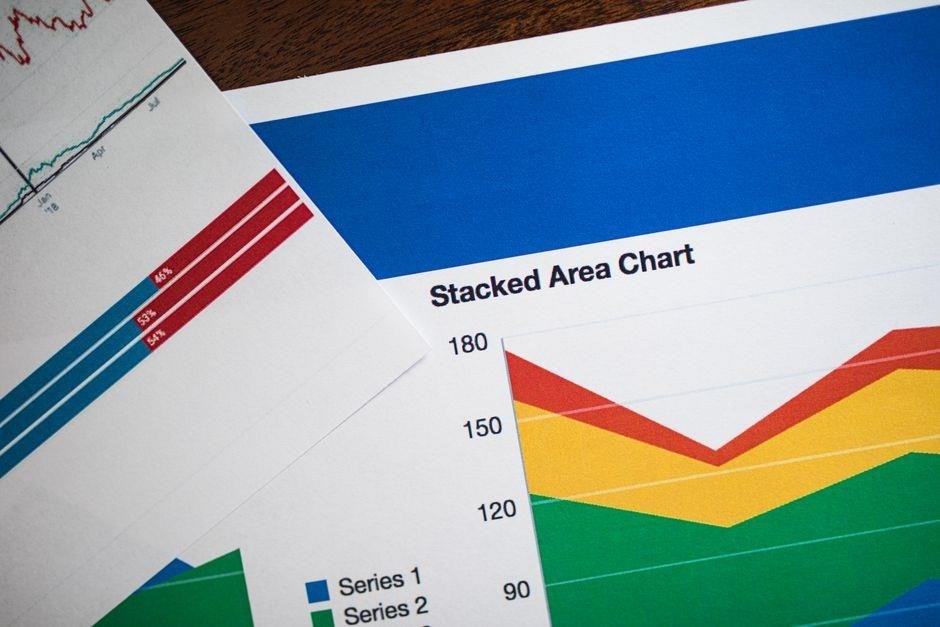
A PDF deliverable must contain a clear title page, metadata, a table of contents, well‑structured sections, and consistent formatting. It should also include version info, author details, and a footer with page numbers to ensure traceability and professionalism. Include a digital signature for authenticity.

3.1 Title Page and Metadata
The title page of a project deliverable PDF serves as the first point of contact for stakeholders, encapsulating essential information in a concise, visually appealing format. It should feature the project name, a concise subtitle, and the date of creation or revision. Below these, the author’s name, role, and contact details provide a clear line of communication. The title page must also include a project identifier or reference number, which aids in version control and retrieval across multiple documents. In addition, a brief project description or executive summary can be placed in a smaller font to give context without cluttering the layout. Proper alignment, consistent font choice, and adequate white space are critical for readability and professionalism. The metadata embedded within the PDF file itself—such as author, title, subject, and keywords—should mirror the title page content to ensure searchability and compliance with document management systems. Embedding metadata can be achieved through PDF creation tools or post‑processing utilities, and it allows for automated indexing, version tracking, and audit trails. By carefully designing the title page and embedding accurate metadata, the deliverable becomes a reliable, searchable, and authoritative reference for all project stakeholders, ensuring that the document’s purpose, provenance, and status are immediately clear. This structured approach ensures stakeholders can locate validate deliverable contents, transparency.
3.2 Table of Contents and Sections
The table of contents (TOC) is the roadmap of a PDF deliverable. It should list all major sections, subsections, and page numbers, formatted with indentation and consistent font styles .!
Each TOC entry must link to its corresponding section using internal PDF bookmarks, enabling quick navigation. The TOC itself should be placed after the title page and metadata, occupying one or two pages depending on document length. It should begin with a heading such as “Table of Contents” centered at the top, followed by a list of items. Sections within the PDF should start on odd-numbered pages to maintain a professional layout, especially for printed copies. Each section heading should use a distinct heading style (e.g., Heading 1 for main sections, Heading 2 for subsections) that is also reflected in the PDF’s outline. The content of each section must be logically organized, with introductory paragraphs, key findings, and actionable recommendations. Consistent numbering (e.g., 1.0, 1.1, 1.2) helps readers track progress and locate specific information quickly. The TOC should be updated automatically whenever the document is revised, using PDF creation tools that support dynamic indexing. This ensures that page numbers and section titles remain accurate, preventing confusion and maintaining the document’s integrity throughout its lifecycle. By adhering to these practices, stakeholders can efficiently navigate complex deliverables, locate critical data, and verify compliance with project objectives.

Example PDF Deliverables
Example PDF deliverables illustrate real-world outputs: a project charter, a requirements specification, and a status report. Each file contains a title page, metadata, TOC, sections, and a signature block, ensuring consistency, traceability, and stakeholder clarity. Supports audit trails and versioning!!!
4.1 Project Charter PDF
The Project Charter PDF is the foundational document that authorizes a project, outlines its purpose, and defines high‑level objectives. It includes the project title, sponsor, key stakeholders, and a concise statement of the problem or opportunity the project addresses. By establishing the project manager’s authority and setting governance, risk tolerance, and decision‑making processes, the charter aligns expectations across the organization.
Key components of a well‑structured charter PDF include:
- Executive Summary: Brief overview of intent, scope, and expected benefits.
- Objectives and Success Criteria: Specific, measurable goals aligned with strategy.
- Scope Definition: High‑level boundaries, deliverables, and exclusions.
- Stakeholder Identification: Roles, responsibilities, and contact information.
- Approval Signatures: Sign‑off from sponsor and key stakeholders.
When formatted as a PDF, the charter should feature a clean title page, consistent header/footer, and embedded metadata for easy retrieval. Accessibility is enhanced by tagging, alternative text for images, and a searchable table of contents, ensuring the document can be shared, archived, and referenced throughout the project lifecycle. The PDF’s metadata should include author, creation date, and revision history to support version tracking.
Distributing the charter early in the initiation phase provides a single source of truth that protects against scope creep and stakeholder misalignment. Embedding version control metadata and storing the PDF in a central repository maintains traceability and audit readiness for the entire project lifecycle, and align today.

4.2 Requirements Specification PDF
Requirements Specification PDFs capture the functional and non‑functional needs that guide design, development, and testing. They translate stakeholder intent into precise, testable statements, forming the basis for acceptance criteria and traceability matrices. A well‑structured PDF includes a title page, version history, and a table of contents for quick navigation. Each requirement is uniquely identified, described in clear language, and linked to its source. Acceptance criteria, priority, and risk level are documented to support decision making. Non‑functional requirements—performance, security, usability—are given equal prominence, often grouped by domain. The PDF should be accessible: use tagged structure, alternative text for diagrams, and a consistent style guide. Embedded metadata (author, creation date, revision) facilitates version control and audit trails. By distributing the Requirements Specification early, teams align on scope, reduce ambiguity, and establish a single source of truth that remains stable throughout the project lifecycle.

During the review process, stakeholders annotate the PDF, and comments are tracked in a separate change log. The PDF format ensures that formatting, diagrams, and tables remain consistent across all readers, eliminating discrepancies that arise from word processors. Additionally, the PDF can be secured with encryption and digital signatures to protect intellectual property and to verify authenticity. The Requirements Specification PDF serves as a contractual artifact, often referenced in procurement agreements and compliance audits. Its clarity and completeness directly influence the quality of deliverables, the efficiency of testing, and the overall success of the project.
Throughout the project, the Requirements Specification PDF is revisited during sprint reviews, change requests, and release planning. Each revision is tracked with a version number and a brief change log. Stakeholders can verify that all agreed‑upon features are implemented, ensuring that the final product meets the documented expectations!!!!!
Best Practices for PDF Deliverables
Adopt consistent naming, embed metadata, use secure passwords, and apply digital signatures. Version control via a clear scheme (v1;0, v1.1) keeps track of revisions. Keep the layout simple, use headings, bullets, and tables for clarity. Validate accessibility and test on multiple readers. Done. OK
5.1 Version Control and Naming Conventions
Implementing a robust version control strategy for PDF deliverables ensures traceability, reduces errors, and facilitates collaboration. A common approach is to embed a version number in the filename, following a semantic pattern such as v1.0, v1.1, or v2.0.0. The major number indicates a significant change, the minor number a backward‑compatible update, and the patch number a bug fix. In addition to the numeric code, including a short descriptive tag—e.g., “draft,” “final,” or “approved”—provides immediate context. For example, ProjectA_Requirements_v1.2_draft.pdf clearly signals the document’s stage. Consistency across the project is critical; all team members should adhere to the same naming schema, and the naming convention should be documented in the project charter. Version control systems such as Git or Subversion can be leveraged to store the PDF files, allowing for branching, merging, and rollback. When a PDF is updated, the new file should be uploaded to the repository with the incremented version number, and a commit message should describe the changes. Additionally, maintaining a change log within the PDF—either as a separate appendix or embedded in the metadata—provides a historical record that stakeholders can reference. Finally, setting up automated checks, such as checksum validation or digital signature verification, can detect unauthorized modifications and ensure the integrity of the final deliverable. Stakeholders sign off before final release.!!